Set prices in any currency. Sell in your store currency.
Keep product prices in USD, EUR, GBP or whatever your supplier invoices in. Price Anchor applies a validated exchange rate, your markup and your rounding rule, then writes the result into WooCommerce’s own price fields. Customers only ever see one currency — yours.
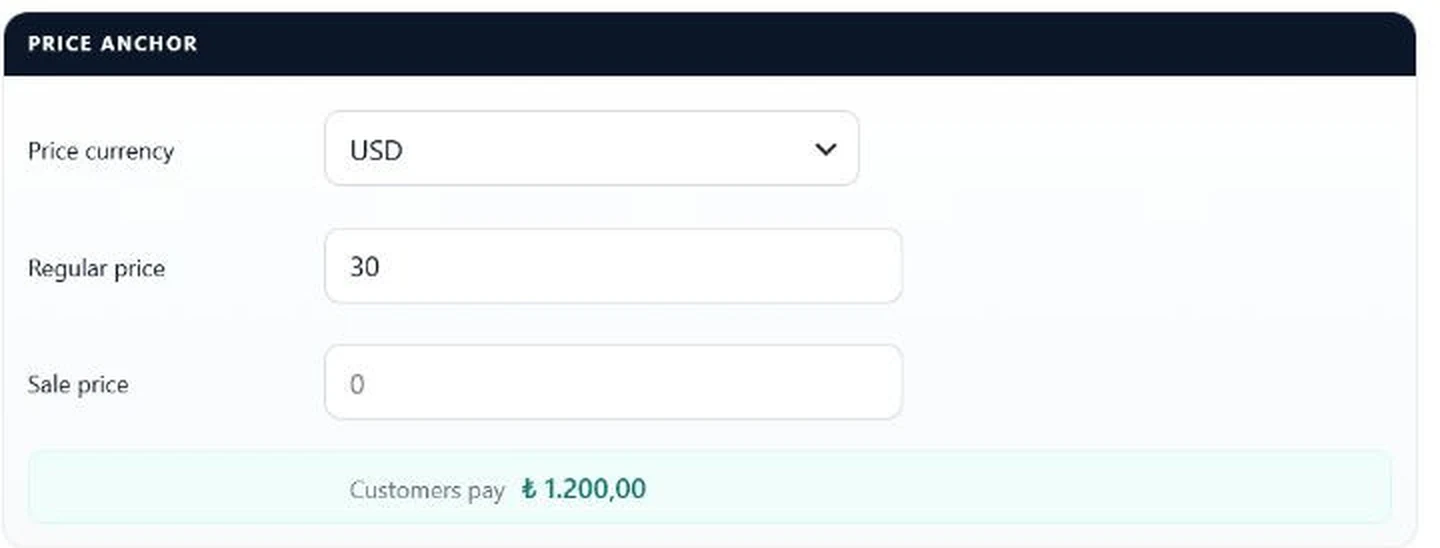
The whole product, in one screenshot: you type 30 and pick USD, the customer pays your store currency.
What Price Anchor actually is
Price Anchor is a WooCommerce plugin that lets a merchant author a product price in a foreign source currency while the store keeps selling in a single store currency. It converts on a schedule and stores the converted amount as WooCommerce’s native price, so catalogue sorting, price filters, reports, the Store API and checkout all read one consistent number.
Price Anchor is not a currency switcher. It is a foreign-currency source pricing engine for single-currency WooCommerce stores.
A currency switcher
Your customers choose a currency. Different visitors see different currencies and checkout happens in several currencies. You need one when you sell internationally and want to be paid in the buyer’s money.
Price Anchor
You choose the currency you author prices in. Customers only ever see your one store currency. You need this when you buy in dollars or euros and sell in your local currency.
Why it converts on a schedule instead of on every page load
Most foreign-currency plugins intercept the price as the page renders. Price Anchor converts in the background and writes the result into WooCommerce’s own price fields. That single decision removes a whole class of bugs rather than defending against them.
Problems caused by runtime price filtering, and their status in Price Anchor
Problem with runtime price filtering
In Price Anchor
Sorting a category by price returns the wrong order
Solved — the stored price is the real store-currency price
The price filter widget shows impossible ranges
Solved — the widget queries the same stored price
Analytics, reports and exports disagree with what you charged
Solved — there is only one number to report
Cart and Checkout Blocks bypass the price filter and show a raw amount
Structurally impossible — there is no filter to bypass
A second plugin re-applies conversion and the customer is charged rate squared
Structurally impossible — no conversion filter exists
Every page load recomputes prices and costs CPU on the hot path
Zero frontend cost — the read path is plain WooCommerce
The honest trade-off: prices move in discrete steps when rates refresh, not continuously. For a merchant that is a feature — a customer never watches a price change mid-session.
How it works
From supplier price list to what the customer pays
1
Pick one source currency
Choose the foreign currency your supplier prices in, and a rate source: the European Central Bank via Frankfurter, TCMB for lira stores, or manual rates you set yourself.
2
Type the source price on the product
One currency dropdown and one price field, on simple products and per variation. Sale prices are supported and convert at the same rate.
3
Price Anchor converts in the background
Rate × markup, then your rounding rule. A rate that fails plausibility validation is rejected and the last known good rate keeps being used.
4
The result is written into WooCommerce
The converted amount lands in WooCommerce’s own regular, sale and active price fields. A resumable, keyset-paginated job handles catalogues of any size.
5
Every order keeps its evidence
Each anchored order line records the source amount, the raw market rate, the actual markup and the effective conversion factor. A later rate change never alters a placed order.
Price Anchor lives inside WooCommerce. There is no separate app, no external account, and nothing your team has to be trained on beyond one dropdown.
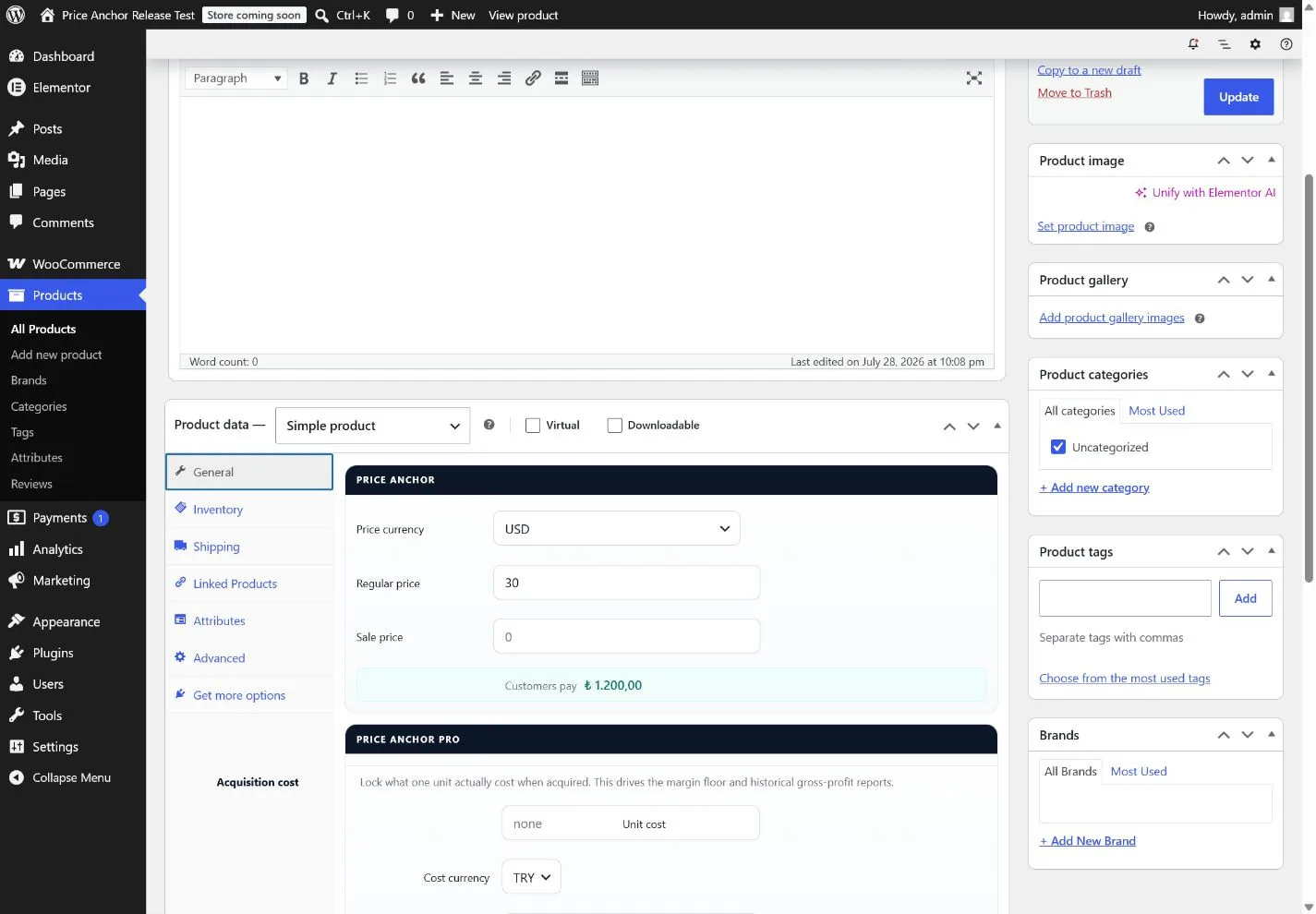
01Product pricing
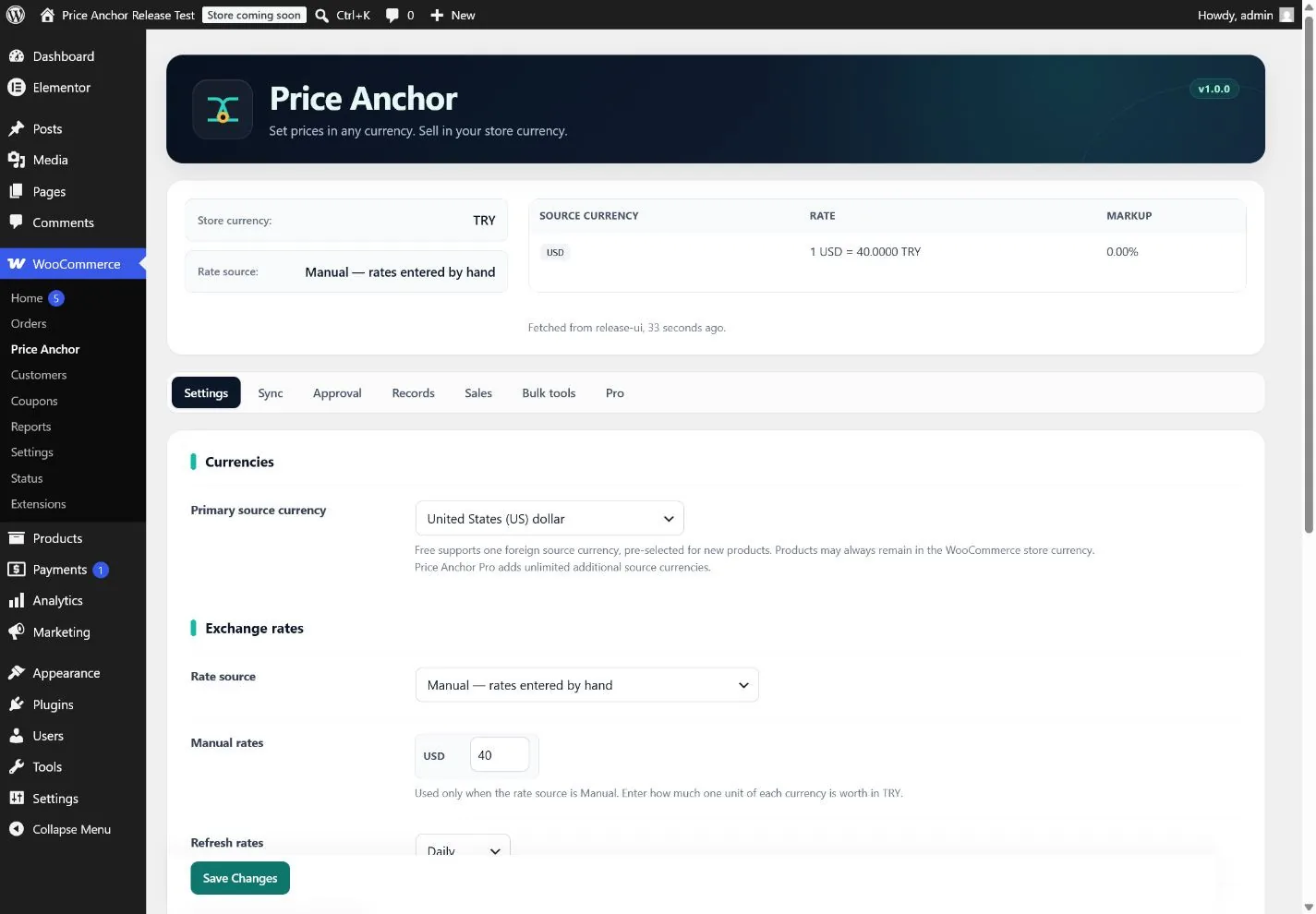
One currency dropdown, one price field, and what the customer will actually pay — before you save. 02Settings
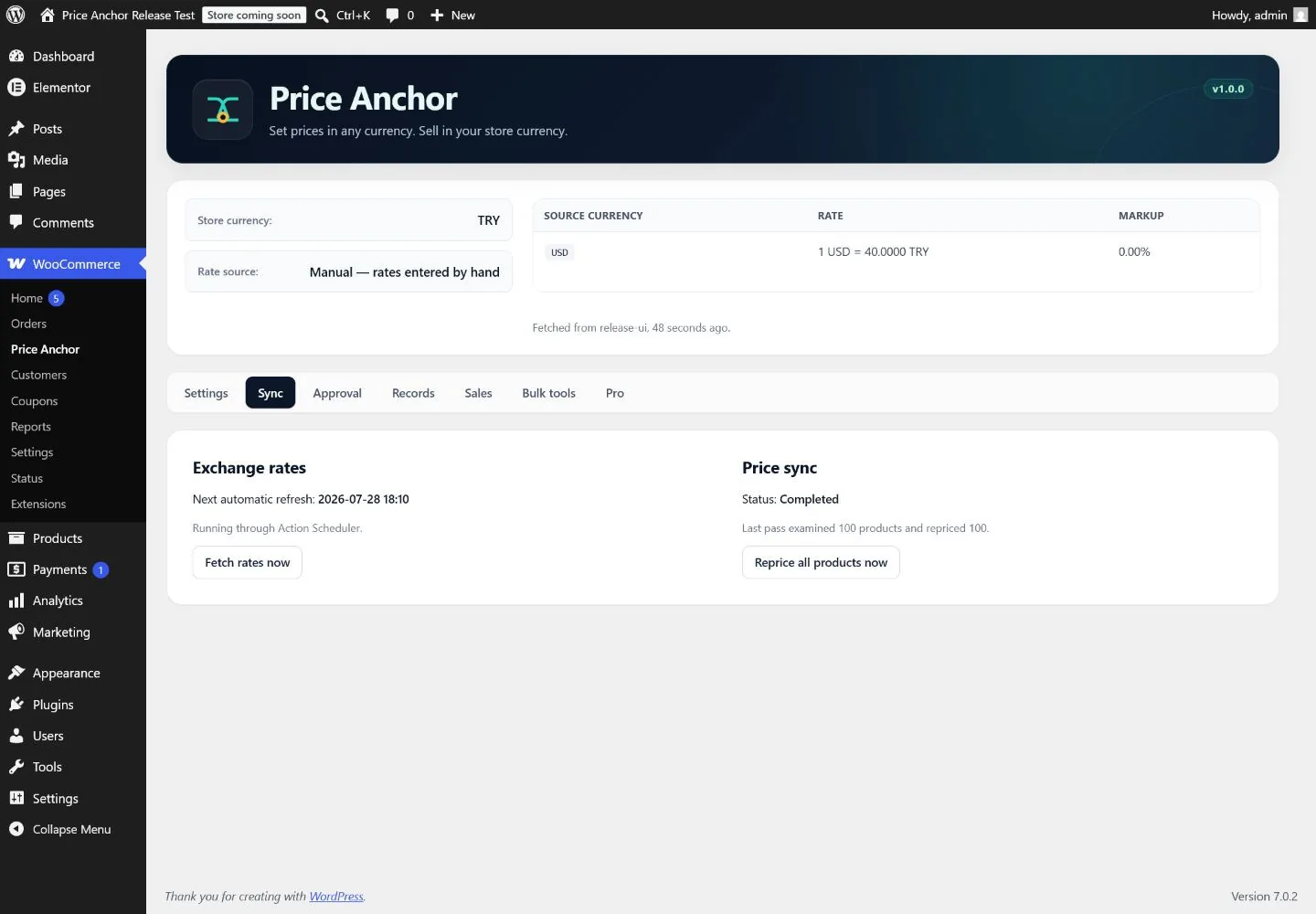
Source currency, rate source, markup and rounding on one screen, with the live rate table above it. 03Sync status
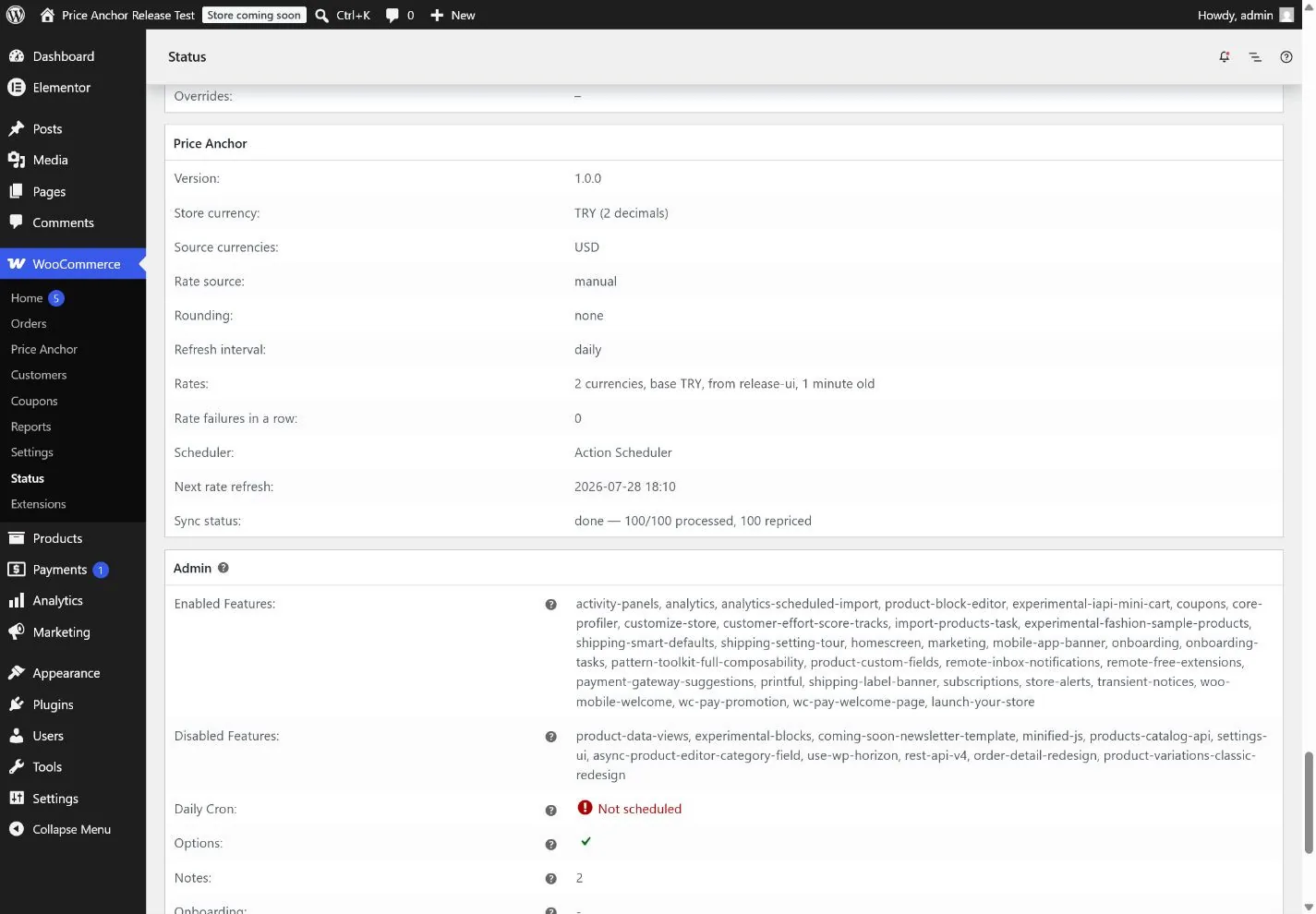
Rate freshness, the next scheduled refresh, and how many products the last repricing pass examined. 04Diagnostics
A Price Anchor section inside WooCommerce → Status, so support requests carry the real runtime state.
The free plugin
Free is a complete product, not a trial
The boundary is drawn on one question: without this feature, could the store show a wrong price? If yes, it is free. Correctness is not an upgrade.
Pricing
One primary foreign source currency across any number of products
Any product can stay native in your store currency, untouched
Variable products with a source price per variation
Source sale prices, converted at the same rate
Percentage markup per source currency
Rounding: none, currency decimals, up, down, nearest, or charm .99
Rates
Frankfurter / European Central Bank — free, any base currency, no account
TCMB, the Central Bank of the Republic of Türkiye, for TRY stores
Manual rates, with no outbound request at all
Hourly, twice-daily or daily refresh
Plausibility validation — an implausible rate is discarded, not applied
Stale-rate and provider-down warnings in the admin
Engine and operations
Background repricing that resumes after an interruption
Action Scheduler when WooCommerce provides it, WP-Cron otherwise
Exact per-order pricing provenance on every anchored line
HPOS, Cart and Checkout Blocks, and the block product editor
Diagnostics in WooCommerce → Status
Multisite-aware uninstall that never deletes order records
Price Anchor Pro
When a moving rate becomes a real risk
A rate can move double digits overnight and quietly sell a week of stock below cost. Pro is priced and built against that specific fear — hold the move for review, refuse to price below what the goods actually cost, and be able to prove afterwards what happened.
Unlimited source currencies
Free owns one primary foreign source. Pro adds every additional source currency, chosen independently per product and per variation.
Rate Guard
Hold an unusually large rate move for review instead of letting it reach the catalogue. Approving applies the exact table you reviewed, not a later refetch.
Minimum margin floor
Refuse to reprice a product below its locked acquisition cost plus your margin. The floor stays effective after rate, markup and rounding.
Locked acquisition cost
Store the per-unit acquisition amount, its currency and the acquisition-time rate together. A market-rate update never rewrites saved cost or order evidence.
Gross product profit
A refund-adjusted Sales report reconciling net product revenue, net COGS and margin. Missing or unlike-currency cost is shown as unavailable, never invented.
Scoped markup and price freezes
A different markup for selected products or categories, and a freeze that pins chosen products or categories against rate movement.
Provider failover and history
ExchangeRate-API with your own key, CBR for RUB and CBAR for AZN, automatic failover when a source is down, and rate history with a dependency-free chart.
Audit log, bulk tools and WP-CLI
Tamper-evident records of who changed what and which rate applied, bulk source-currency assignment, bounded CSV import/export and operational CLI commands.
Free versus Pro
Feature comparison between Price Anchor free and Price Anchor Pro
Pro screens and Pro pricing rules stop; WooCommerce keeps selling at the last stored prices.
Product source prices, acquisition costs, rate history, audit rows and order evidence are all retained.
Products anchored to a Pro-only source keep their metadata and their last price; they are simply not repriced.
Renewing restores the saved configuration without re-entering anything. Expiry never runs uninstall cleanup.
Who it is for — and who it is not for
Built for
Importers whose supplier list is in USD, EUR or GBP
Stores selling in one currency in a volatile local market
Catalogues that need consistent rounding across thousands of products
Merchants who need a hard floor under margin when the rate moves
Teams that must be able to explain what a historic order was priced at
Not designed for
Letting customers choose a checkout currency — that is a currency switcher, and this is not one
Per-country, per-user or per-role live pricing
Bookkeeping, tax compliance or FIFO/LIFO inventory valuation
Builder elements containing a manually typed static price
Requirements and compatibility
WordPress
6.5 or newer
WooCommerce
8.0 or newer
PHP
8.1 or newer
Price Anchor Pro
Requires Price Anchor free 1.0.0+
Verified against HPOS, Cart and Checkout Blocks, the classic and block product editors, the WooCommerce REST and Store APIs, Action Scheduler with a WP-Cron fallback, and multisite data isolation. Third-party runs covered Elementor, WooCommerce Subscriptions, Product Bundles, Composite Products, Product Add-Ons and Dynamic Pricing. Compatibility applies wherever a surface reads WooCommerce’s native product and cart data — a manually typed builder price is not WooCommerce price data.
Bundled translations
Use the admin in 12 additional languages
Free and Pro ship the same translation set. WordPress automatically loads the catalogue that matches the site or user locale.
Turkish tr_TR
German de_DE
Spanish es_ES
French fr_FR
Russian ru_RU
Arabic ar
Portuguese (Brazil) pt_BR
Polish pl_PL
Italian it_IT
Persian fa_IR
Azerbaijani az
Ukrainian uk
English is the source language. Arabic and Persian use WordPress RTL layout support. Translation details →
Documentation
Every setting, every rate source, the sync engine, order provenance, the Pro screens, the hook contract and the troubleshooting checklist.
No. Your customers always see and pay in one currency — your WooCommerce store currency. Price Anchor changes which currency you enter prices in, not which currency the customer picks. It should not be run alongside a currency switcher.
Which currency do customers pay in?
Your WooCommerce store currency, whatever it is set to. Price Anchor never changes the store or order currency.
Do prices update on every page load?
No, and that is deliberate. Prices change when a rate refresh and catalogue sync run, on the schedule you choose. A customer never watches a price move mid-session, and two people loading the same page a second apart always see the same number.
What happens to orders that were already placed when the rate changes?
Nothing. WooCommerce stores order totals when the order is placed, and Price Anchor additionally records the source amount and the rate on each line. A rate update can never alter a historic order.
Do I need an API key?
No. The default rate source is the European Central Bank’s published rates via Frankfurter, which needs no account or key. TCMB is available for lira stores, and manual rates make no outbound request at all.
What if the rate source is down or returns something wrong?
A rate that is non-finite, zero, negative, out of range or implausible is rejected outright and your last known good rates keep being used. Prices never fall back to zero, and you are told in the admin. Pro adds automatic failover to a second provider.
Does it work with a zero-decimal currency such as JPY?
Yes. Rounding respects your store currency’s decimal places. A currency that cannot express “.99” rounds up to a whole unit instead, which still keeps the price at or above the calculated amount.
Can I price some products normally?
Yes. Choose “Store currency — no conversion” on any product and Price Anchor leaves it completely alone. That is a distinct state from being anchored to a currency that happens to equal the store currency, so changing the store currency later behaves correctly for both.
How many source currencies does the free plugin support?
One primary foreign source currency, across any number of products, with no product-count cap. Any product may also stay native in the store currency. Pro adds unlimited additional source currencies with per-product and per-variation choice.
Which admin languages are included?
Both Free and Pro include bundled WordPress translations for Turkish, German, Spanish, French, Russian, Arabic, Brazilian Portuguese, Polish, Italian, Persian, Azerbaijani and Ukrainian. WordPress loads the matching catalogue from the site or user locale; English remains the source language.
Why is correctness not a paid feature?
Because a store that only ever installs the free plugin must never show a wrong price. Rate validation, order stamping, correct charm rounding and the whole sync engine are free for that reason. Pro sells control and scale — multiple supplier currencies, rate-risk controls and cost/profit evidence.
What does the plugin send to external services?
When an automatic provider is selected and a scheduled or manual refresh runs, the store server requests exchange rates and sends only the base/store currency and the source-currency codes, plus ordinary HTTP metadata. Product data, prices, orders, customers and WordPress users are never sent. There is no analytics, tracking pixel, advertising request or customer-side third-party script.
What happens if I delete the plugin?
Your WooCommerce prices stay exactly as they are and the store keeps selling. Source prices are kept as well, unless you tick the option to remove them. Order records are never touched, and neither Pro’s deactivation nor its uninstall deletes acquisition-cost evidence.
Can I run per-role or per-customer pricing?
No, and that is permanent rather than a missing feature. Price Anchor stores one price per product, written by a background job that runs with no logged-in user, so there is no role to branch on when the price is decided. Making the price depend on who is looking would require read-time computation, which is precisely the design this plugin rejects.
Is the Pro Sales report an accounting system?
No. It reports gross product profit: refund-adjusted product revenue minus refund-adjusted unit COGS. Gateway fees, tax, shipping and fulfilment, advertising, payroll, overhead, landed-cost lots and FIFO/LIFO inventory valuation are outside it.
Next step
Start free. Upgrade when the rate starts costing you money.
Install the free plugin, anchor one product, and watch a rate refresh reprice your catalogue. When you add a second supplier currency, or the day a rate jump makes you nervous, Pro is waiting.