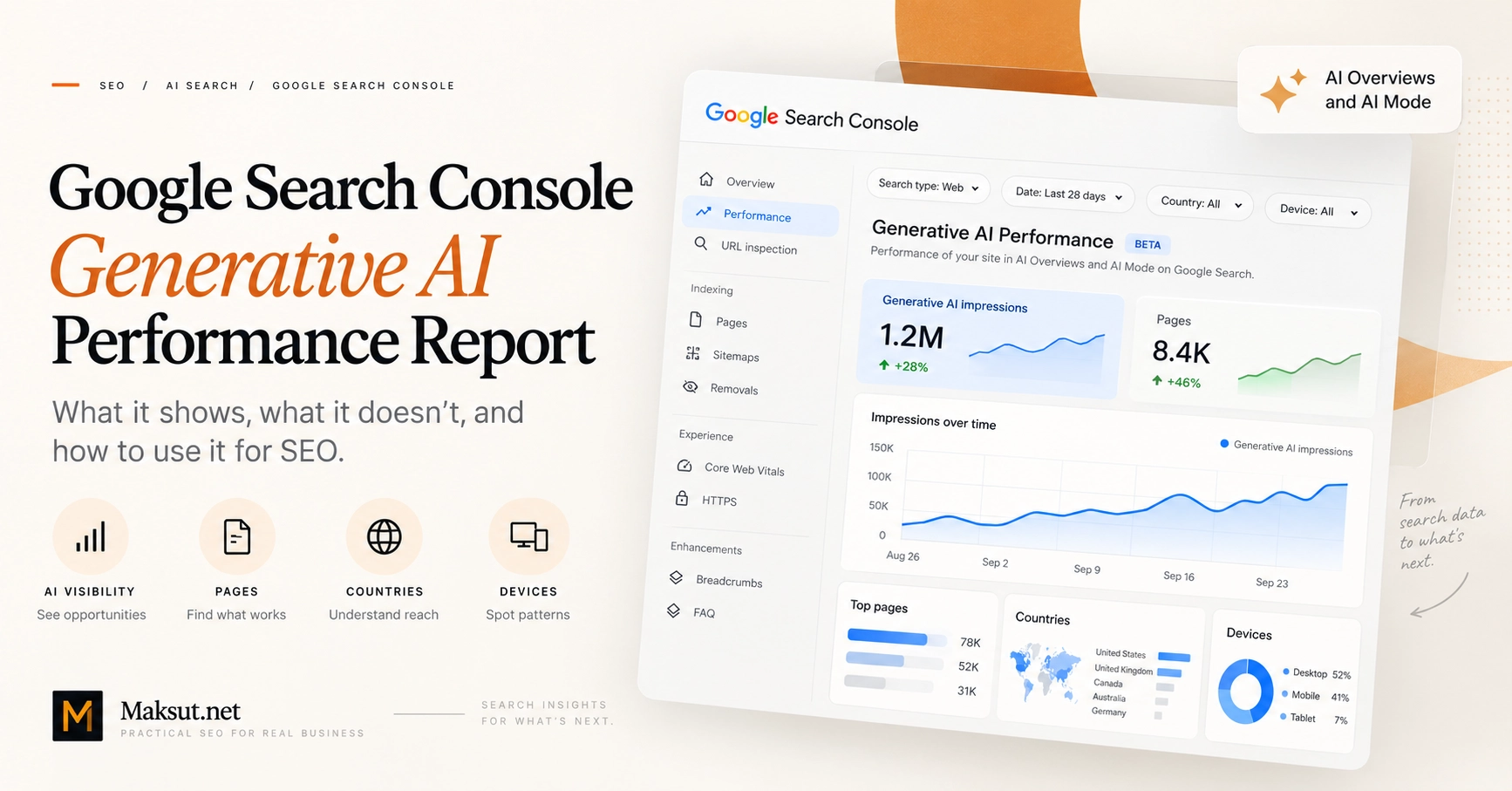
Google Search Console · AI Search Measurement
Google Search Console Generative AI Performance Report: What It Shows and How to Use It
Understand what Google’s Generative AI Performance Report actually measures,
where its limits are, and how to turn AI Overview and AI Mode visibility data
into useful SEO decisions.
Last reviewed: September 2026
What is the Generative AI Performance Report?
Google introduced dedicated generative AI performance reporting in Search Console
in June 2026 and subsequently rolled the reporting experience out worldwide.
The Search version of the report is designed to show how often links to your site
appear in supported generative AI experiences on Google Search.
For Search, the report currently includes visibility from
AI Overviews and AI Mode.
Google also provides a separate Generative AI Performance Report for Discover.
The most useful way to think about the Search report is:
It does not replace the standard Search Console Performance report, analytics,
conversion tracking or cross-platform AI search monitoring.
Google explains the report and its current scope in the
official Search Console documentation
.
What does an AI impression mean?
In the dedicated report, an impression is recorded when a link to your site is
shown to a user inside a supported generative AI feature on Google Search.
That is useful information, but it is narrower than it may first appear.
An AI impression does not automatically mean that:
- Google recommended your company or product;
- your brand was mentioned positively;
- the user clicked your result;
- the impression generated a lead or sale;
- a particular paragraph from your page was used in the generated answer;
- your result was the most prominent source in the AI response.
What the metric does tell you is simpler:
a link associated with your site received visibility inside a supported
Google generative AI Search experience.
That makes AI impressions useful as a visibility or diagnostic metric, rather than
as a business KPI on their own.
Where can you find the report?
When available for a Search Console property, the Generative AI Performance Report
appears as a dedicated performance view inside Search Console.
If you do not see it, that does not automatically indicate a technical problem.
Google documents situations where a property may not have enough qualifying
generative AI impressions for the report to appear. A property excluded from
Search generative AI features may also have no reportable visibility.
What data does the report show?
The dedicated Search report currently centres on
generative AI impressions and provides four main dimensions for
analysing them.
| Dimension | What it helps you understand |
|---|---|
| Pages | Which URLs from your site appeared in generative AI Search experiences. |
| Countries | Where searches generating those impressions originated. |
| Dates | How generative AI visibility changes over time. |
| Devices | Whether impressions occurred on desktop, mobile or tablet. |
Page data and canonical URLs
Page-level interpretation requires some care because Search Console commonly
attributes performance data to canonical URLs.
Google states that most page-level performance data is assigned to the canonical
URL rather than every duplicate or alternate version of a page. The Pages
dimension also uses the final linked URL after redirects.
If a URL appears to be missing from the report, check canonicalisation and redirects
before assuming that the page received no visibility.
Country data
Country segmentation is particularly useful for international businesses.
A site may accumulate substantial generative AI visibility from markets it does
not actively serve.
For example, if a service business primarily targets the United Kingdom but most
of its AI impressions originate elsewhere, the headline impression total may look
strong while the commercial relevance is much weaker.
Country data therefore helps separate
visibility volume from visibility relevance.
Device data
The Devices dimension groups impressions across desktop, mobile and tablet.
This can help identify whether generative AI visibility is concentrated on a
particular device category.
Avoid inferring too much about user intent from device type alone. Device data is
context, not an explanation of why a result appeared.
Date data
Date segmentation lets you examine how AI visibility changes over time.
Search Console reporting uses Pacific Time, and the newest data can remain
preliminary while collection is being completed.
That is one reason a one-day increase or decline should rarely trigger an immediate
page rewrite.
Can you separate AI Overviews from AI Mode?
Not cleanly in the current dedicated report.
Google documents AI Overviews and AI Mode as included generative AI Search
experiences, but the currently documented report dimensions are:
- Pages;
- Countries;
- Dates;
- Devices.
There is currently no documented feature or
AI surface dimension that lets you split the report into:
- AI Overview impressions;
- AI Mode impressions.
If a third-party platform estimates those surfaces separately, treat that as a
different measurement methodology rather than as equivalent to first-party
Search Console reporting.
Does the report show clicks, CTR or average position?
The dedicated Generative AI Performance Report is currently focused on
impressions.
Google does not currently document clicks, CTR or average position as dedicated
metrics within this report. When the feature was announced, Google also indicated
that additional metrics may be considered over time.
That does not mean AI-related Search activity disappears from the rest of Search
Console.
Google states that traffic from AI features such as AI Overviews and AI Mode is
included in the broader Search Console Performance report under the
Web search type.
Google explains how AI features are represented in Search reporting in its
AI features and your website documentation
.
How is this different from the normal Search Performance report?
The reports answer different questions.
| Generative AI Performance Report | Standard Search Performance Report |
|---|---|
| Focused on supported generative AI Search visibility. | Covers broader Google Search performance. |
| Dedicated generative AI impression view. | Includes impressions, clicks, CTR and average position. |
| Page, country, date and device dimensions. | Includes query data and wider Search dimensions. |
| No dedicated query dimension currently documented. | Query reporting is available. |
| AI Overviews and AI Mode grouped into the supported AI view. | AI-related activity exists inside broader Web Search data. |
Use the standard Performance report when you need the broader Search picture.
Use the Generative AI report when you specifically want to isolate
generative AI visibility.
Then connect both to analytics and business outcomes before deciding what needs
to change.
Can you see which queries triggered AI impressions?
Not in the dedicated Generative AI Performance Report.
Google currently does not list a Queries dimension for this report. That means you
cannot take a specific AI impression and reliably connect it to the exact user
query or conversational prompt that produced it.
This limitation is particularly important because generative AI Search experiences
can use techniques such as query fan-out, where Google performs
multiple related searches across subtopics and data sources while constructing a
response.
The relationship can therefore look more like:
user request → retrieval activity → generated response → supporting links
rather than a simple traditional:
query → ranked result.
Third-party monitoring can help observe selected prompts and responses, but those
observations should not be confused with first-party Google query attribution.
For a broader methodology, see the
guide to tracking brand mentions across AI search platforms
.
Why can the chart total differ from the page table?
Search Console can use different aggregation methods depending on the view.
At property level, impressions are aggregated at the property level. If more than
one result from the same site appears inside a generative AI experience, the
property-level chart may count the exposure differently from a page-level table.
When you group the data by page, Search Console instead aggregates performance by
page.
The report also inherits normal Search Console performance-reporting limitations,
including table limits such as the common 1,000-row cap.
How should you use the report for SEO?
The useful question is not:
“How do we maximise the AI impression number?”
A better question is:
“What does this visibility pattern tell us that is worth investigating?”
| Observation | What to investigate | Possible action | How to verify |
|---|---|---|---|
| AI impressions are increasing. | Which pages and countries account for the increase? | Identify the types of pages gaining visibility before changing anything. | Compare subsequent periods and broader Search performance. |
| One informational page dominates AI impressions. | Does the page connect relevant users to appropriate commercial information? | Improve genuinely useful internal pathways where needed. | Review landing-page journeys and qualified conversions. |
| An important service page receives little or no AI visibility. | Is it indexed, technically accessible, relevant and sufficiently complete? |
Fix a verified technical or content gap instead of adding generic “AI optimisation”. |
Recheck Search performance and AI impressions. |
| AI impressions rise but qualified enquiries remain flat. | Does the increased visibility match commercial search intent? | Review intent alignment, offer clarity and the conversion journey. | Compare analytics and qualified leads. |
| A substantial drop appears suddenly. | Did the site change? Is the newest data still preliminary? | Diagnose the cause before rewriting content. | Recheck after reporting stabilises and compare related Search data. |
A practical weekly workflow
A structured weekly review is usually more useful than repeatedly checking the
graph throughout the day.
-
Compare meaningful periods.
Start with a window such as the latest 28 days versus the previous 28 days. -
Find the pages driving the change.
Identify which canonical URLs account for the largest increases or declines. -
Check geographic relevance.
Segment countries where your commercial priorities differ by market. -
Use device data where it changes interpretation.
Avoid creating unnecessary work from device differences that have no practical consequence. -
Compare the affected pages with standard Search Console data.
Check broader impressions, queries, clicks, CTR and position where relevant. -
Move beyond Search Console.
Review landing-page activity, conversions and qualified enquiries in your analytics stack. -
Use AI monitoring only for questions GSC cannot answer.
For example, prompt-level brand mentions, citations, recommendations or competitor appearances. -
Record substantial changes.
Keep the implementation date so later comparisons have context. -
Evaluate rather than assume causation.
A before-and-after increase does not, by itself, prove that your change caused the result.
What the report cannot tell you
Understanding the report’s limits is as important as understanding the metrics it provides.
| Question | Can the dedicated report answer it? |
|---|---|
| Did my site receive generative AI impressions on Google Search? | Yes |
| Which pages received those impressions? | Yes |
| From which countries? | Yes |
| On which device categories? | Yes |
| How did impressions change over time? | Yes |
| Which exact query produced each AI impression? | No dedicated query dimension. |
| Was the impression specifically from AI Mode or AI Overview? | No dedicated surface dimension currently documented. |
| Did that specific AI impression generate a click? | Not inside the dedicated impression report. |
| Was my brand positively recommended? | No. |
| Which passage from my page was used? | No. |
| Did my SEO change cause the visibility increase? | No. |
| Is my brand visible in ChatGPT, Perplexity or Claude? | No. |
Search Console vs third-party AI visibility tools
The Generative AI Performance Report does not make every AI monitoring platform
redundant because the two approaches answer different questions.
| Search Console | Third-party AI monitoring |
|---|---|
| First-party Google data. | Observed or estimated data collected externally. |
| Measures supported Google generative AI visibility. | May monitor multiple AI platforms. |
| Page, country, date and device analysis. | May track prompts, citations, brand mentions and competitors. |
| Does not provide exact prompt attribution. | Can repeatedly test selected prompts. |
| Does not expose Google’s internal ranking systems. | Cannot independently access Google’s internal ranking systems either. |
Google specifically warns against claims that third-party tools have access to
proprietary internal Google AI ranking metrics.
Use third-party monitoring where it supports a real decision rather than because
a proprietary visibility score exists.
For a closer look at available platforms, see the
AI search analytics tools comparison
.
What is the Search generative AI control?
Search Console also provides a separate control for participation in supported
Search generative AI features.
Google documents the control under Search Console property settings and currently
provides three possible states.
| Setting | Effect |
|---|---|
| Include |
Allows eligible site links and content to appear in supported Search generative AI experiences. |
| Exclude |
Prevents the site’s content and links from participating in the supported generative AI experiences covered by the control. |
| Inherit from parent | Uses the configuration defined for the parent property. |
For ordinary properties, Google documents Include as the default.
The control should not be confused with every other AI-related crawler or training
control. Google documents Google-Extended separately for certain
non-Search AI uses.
Read Google’s
Search generative AI control documentation
before excluding a commercially important property.
Does the report change how you should optimise for AI search?
Not in the way many “AI SEO hacks” imply.
Google continues to state that the foundations of ordinary Search optimisation
apply to AI Overviews and AI Mode.
Important pages should still be:
- crawlable;
- indexable;
- eligible to appear in Search with a snippet;
- technically accessible;
- internally connected in a useful way;
- clear and useful to the intended reader;
- accurate about products, services and business facts.
Google also states that there is no special schema.org markup required specifically
for AI Overviews or AI Mode.
You do not need to invent schema types such as:
AIContent;AEO;GenerativeSearch.
Nor should a measurement report become justification for unsupported
“AI-only optimisation” claims.
The new report primarily changes what you can observe.
It does not create a new ranking shortcut.
Google discusses these principles in its
guidance for optimising content for generative AI features
.
Common mistakes when reading the report
-
Adding AI impressions to normal Web impressions.
The dedicated AI view sits inside the broader Search reporting ecosystem, so
treating the numbers as two independent audiences can double count visibility. -
Treating an impression as a click.
Visibility and traffic are different measurements. -
Treating an impression as a recommendation.
A displayed link does not prove endorsement. -
Assuming AI Mode and AI Overviews are separately identified.
The current documented dimensions do not provide that surface split. -
Rewriting pages after a short-term fluctuation.
New reporting data can be preliminary and generative results can vary. -
Ignoring canonicalisation.
Page-level data is commonly associated with canonical URLs. -
Expecting the chart total to equal every page row added together.
Property-level and page-level aggregation can differ. -
Using GSC as a cross-platform AI tracker.
Search Console measures Google, not ChatGPT, Claude, Perplexity or every other
AI search system.
What about generative AI in Google Discover?
Google provides a separate Generative AI Performance Report for Discover.
It should not be treated as simply another view of the Search report.
Search and Discover have different surfaces and reporting behaviour.
Google documents the Discover-specific report separately in its
Generative AI Performance Report for Discover documentation
.
If Discover becomes strategically important for your site, analyse that dataset
according to its own methodology instead of casually merging it with Search AI
impressions.
Should AI impressions become a KPI?
Usually not on their own.
A useful KPI should represent progress toward an outcome the organisation actually
values.
Generative AI impressions can show that pages are gaining or losing visibility
inside Google’s AI-driven Search experiences. That makes them useful as a
diagnostic or visibility metric.
Most businesses ultimately care about something further downstream:
- qualified traffic;
- product discovery;
- leads;
- enquiries;
- bookings;
- subscriptions;
- sales or revenue.
A more useful measurement chain is:
Each stage answers a different question.
Does Search Console replace AI search monitoring?
No.
Search Console is especially valuable because it provides first-party data from
Google rather than a reconstructed estimate.
But it does not tell you:
- which prompts repeatedly recommend your business;
- which competitors are repeatedly mentioned alongside you;
- what ChatGPT says about your company;
- what Perplexity cites;
- whether third-party sources repeatedly introduce incorrect business facts;
- how your brand appears across multiple AI platforms.
Those questions require a different observation method.
A useful measurement stack can therefore contain three separate layers:
| Layer | Primary purpose |
|---|---|
| Google generative AI visibility | Search Console Generative AI Performance Report. |
| Search and onsite outcomes | Standard Search Console reporting, analytics and conversion data. |
| Cross-platform AI observation | Controlled monitoring of prompts, citations, brand mentions and recommendations. |
Keep these layers separate enough that one metric is not mistaken for another.
Common questions
- Does Google Search Console show AI Overview data?
-
Yes. Google says the dedicated Generative AI Performance Report for Search
currently includes impressions from AI Overviews and AI Mode. - Does Search Console show AI Overview clicks?
-
Activity from AI features contributes to broader Web Search performance
reporting. The dedicated Generative AI Performance Report itself is currently
centred on impression data rather than providing a separate click and CTR
breakdown for each AI impression. - Can I see AI Mode queries in the Generative AI Performance Report?
-
No dedicated Queries dimension is currently documented for the report.
Its documented dimensions are Pages, Countries, Dates and Devices. - Can I separate AI Mode impressions from AI Overview impressions?
-
Not cleanly through the current dedicated report. Both experiences are included,
but Google does not currently document a feature or surface dimension that
splits them. - Why don’t I see the Generative AI Performance Report?
-
A property may not have enough qualifying generative AI impressions.
Exclusion through Search generative AI settings can also prevent eligible
visibility. - Does the report include ChatGPT, Perplexity or Claude?
-
No. It is a Google Search Console report and covers supported Google generative
AI experiences rather than third-party AI platforms. - Do I need special AI schema to appear in AI Overviews or AI Mode?
-
No. Google states that no special schema.org markup is required specifically
for inclusion in AI Overviews or AI Mode. Normal Search technical requirements
and useful structured data practices still apply. - Should every page with low AI impressions be rewritten?
-
No. First establish whether the page is commercially important, indexed,
technically accessible, relevant to the intended search need and genuinely
incomplete. Low AI visibility alone does not prove that a page has a content
problem. - Does the report replace Google Analytics?
-
No. Search Console measures Search visibility and performance, while analytics
helps evaluate what users do after reaching the site. They answer different
questions and are more useful when interpreted together. - Does the report replace third-party AI visibility tools?
-
No. Search Console provides first-party Google visibility data, while external
monitoring tools may observe prompts, citations, competitors and other AI
platforms. One does not fully replace the other.
Final takeaway
The Google Search Console Generative AI Performance Report closes an important
measurement gap.
Site owners now have a dedicated first-party view of how pages are being exposed
inside supported generative AI experiences on Google Search.
But the report becomes most useful when its scope is kept clear.
It measures visibility, not the entire customer journey.
It can show which pages receive generative AI impressions, where that visibility
originates, which device categories are involved and how exposure changes over
time.
It cannot currently connect every impression to an exact prompt, provide a clean
AI Overview versus AI Mode split, explain why Google selected a source or prove
that a particular SEO change caused a commercial result.
Treat it as one evidence layer.
Combine it with standard Search Console performance data, analytics, conversion
outcomes and carefully designed AI monitoring where those additional observations
answer questions that first-party reporting cannot.
Need a clearer view of your AI search visibility?
Search Console can show where Google’s generative AI features expose your pages,
but it does not provide a complete view across platforms or explain why visibility
changes.
Start with the
AI Search Visibility Audit
for a broader review of citations, technical accessibility, content gaps and
measurement.
For implementation and prioritisation, see
SEO and AI search support.
You can also continue with the
cross-platform AI search tracking guide
or compare available products in the
AI search analytics tools comparison
.
Official sources
-
Google Search Console — Generative AI Performance Report for Search
-
Google Search Central — Generative AI performance reporting announcement
-
Google Search Central — AI features and your website
-
Google Search Central — Optimising for generative AI features
-
Google Search Console — Search generative AI control
-
Google Search Console — Generative AI Performance Report for Discover
Discussion
0 comments
No comments yet.
Have a technical question, correction or a different interpretation? Add to the discussion.